
New in Orsane: Time tracking, built into the task
Time tracking is live. Start a timer on any task, log hours you forgot to time, and read the total off the list without opening anything.
Agencies have been running time in a second tab for as long as we’ve been doing this. The work lives in one tool, the hours live in another, and Friday afternoon goes to reconciling the two. It doesn’t have to work that way.
The Duration attribute grew up
This isn’t a new field to go and set up. Duration has evolved into Timer, and the switch has already happened: every Duration attribute in your team is now a Timer attribute, and every value you’d entered became a time entry on its task. Your totals read exactly as they did before.
The difference is what sits behind the total. Duration held one number, how long something took, with no record of when the work happened or who did it. Timer keeps the individual entries, each stamped with its day and its owner, and shows their sum on the task.
What you can do with it
Open a task and there’s a timer panel. Press the button to start recording, or type a duration to log time you already worked. Entries can be paused, edited and deleted afterwards.
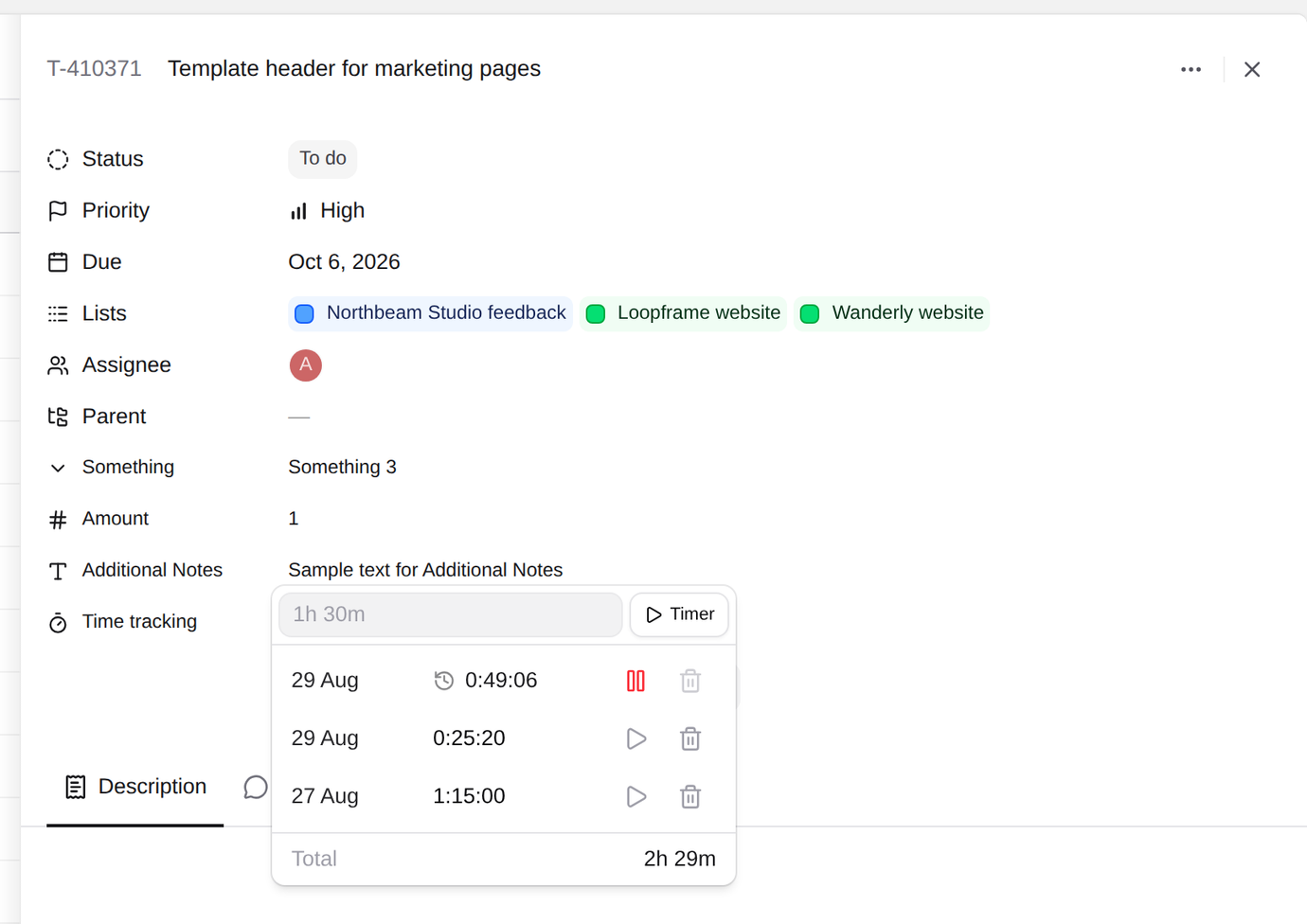
Timer is a custom attribute type, which means you can have more than one. Define a Billable timer and an Internal timer and every task carries both totals, tracked separately. Client work and the hour you spent fixing your own build pipeline stop landing in the same number. For anyone tracking billable hours in a spreadsheet next to the tool where the work actually happens: that’s the reason to have it in here instead.
While something is recording, a timer icon sits at the bottom of the sidebar; click it to jump to the task. In lists and boards, the Timer column shows each task’s running total, and you can start and stop from the column without opening anything.
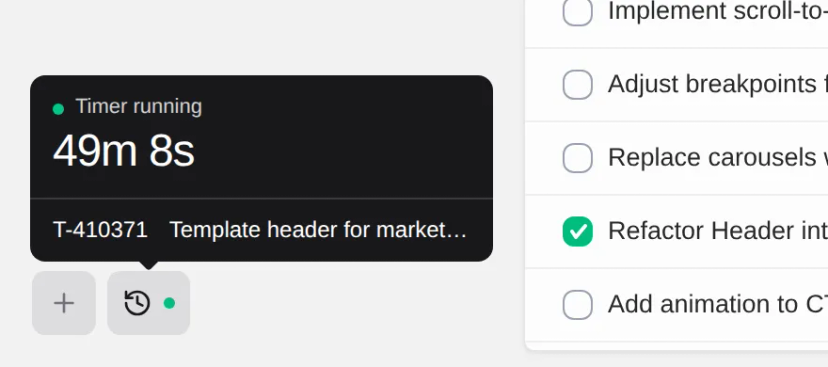
One rule worth knowing before you start: only one timer runs at a time. Starting a timer stops whatever you already had going, including on a different task. Two timers running at once is how you end up billing forty hours for a thirty-hour week.
Try it
If you already had a Duration attribute, it’s a Timer now and there’s nothing to do. Otherwise, create one in Settings → Attributes and add the column to a list. It’s in the plan you already have; we only have the one.
The details (accepted duration formats, rounding, permissions, how running time behaves across workspaces and in the API) are all in the docs at orsane.app/docs/guides/time-tracking.
If you have ideas or suggestions around this, or anything else, feel free to reach out at hello@orsane.app. Not using Orsane yet? Start your 14-day free trial and see how lightweight task management should feel.