
A Grid You Already Know How to Use
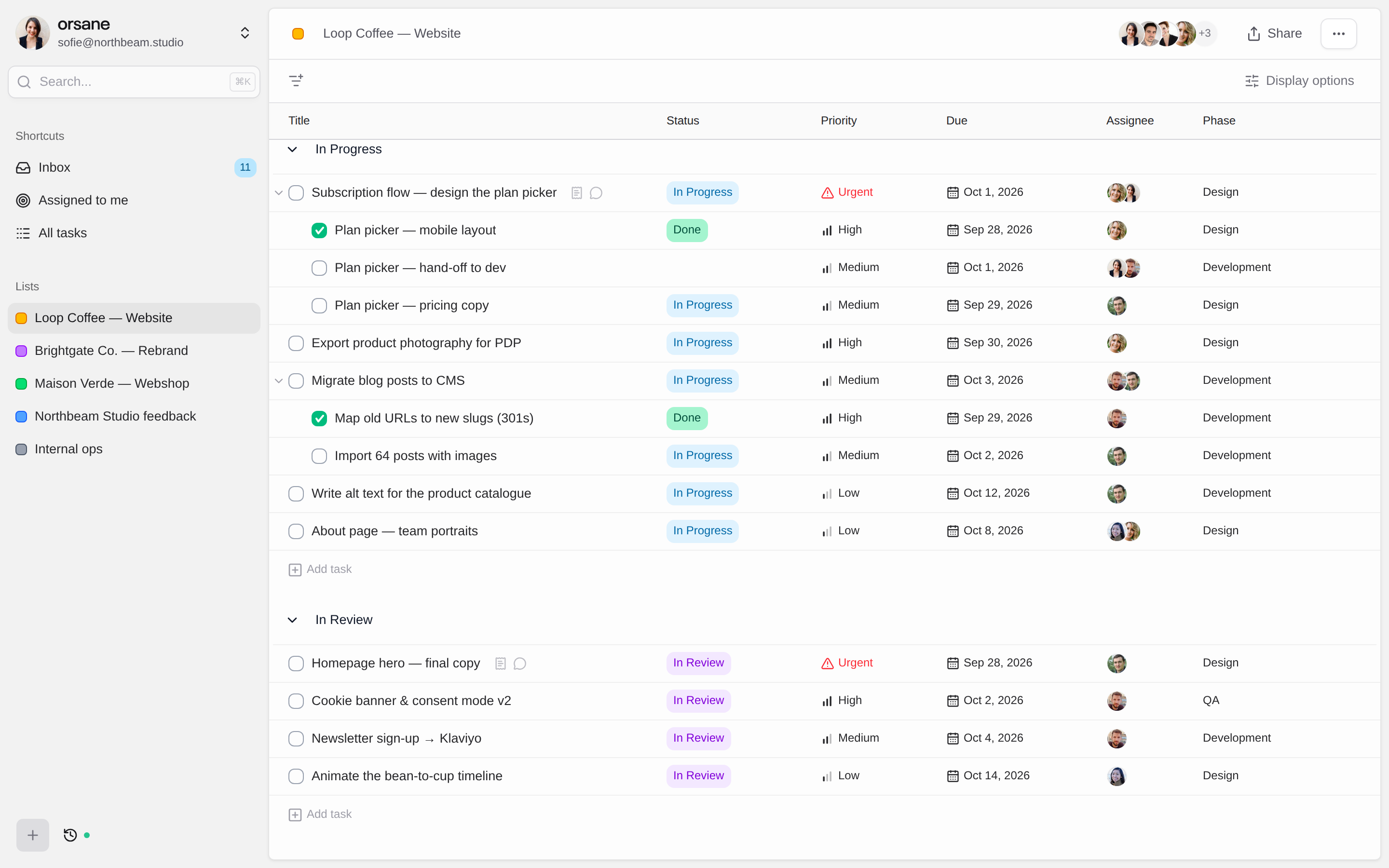
Every list in Orsane is a spreadsheet-style table. Rows are tasks, columns are attributes, and you tab and arrow your way through them. Type a title, press Enter, type the next one. If your team has ever used Excel or Google Sheets, there is nothing to learn on day one.
- Edit status, assignee, priority and due date right in the cell
- Press Tab to nest rows as subtasks, Shift+Tab to pop them back out
- Put one task in several lists: one per client, one for this week
Change Fifty Tasks as Easily as One
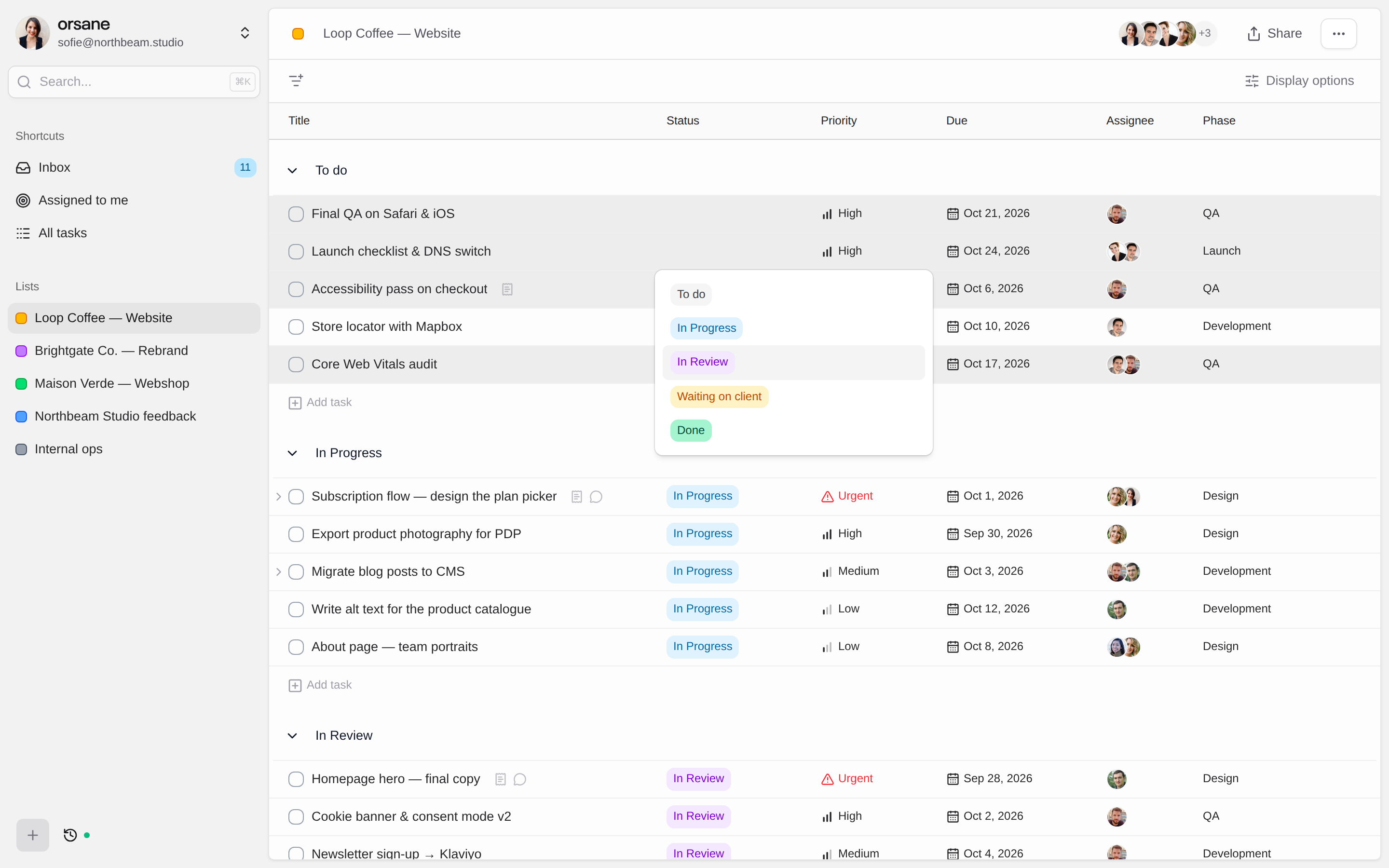
Select rows the way you would in a spreadsheet: click, Shift-click, Cmd-click or Cmd+A for the whole view. Then click any cell and the change lands on every selected task. There is no bulk-edit mode to switch into and no dialog to fill in.
- Works for status, priority, assignee, due date, lists and custom fields
- Drag a selection and the whole group moves together
- Clear out finished work with one key and a confirmation
Attributes Shaped Around Your Projects
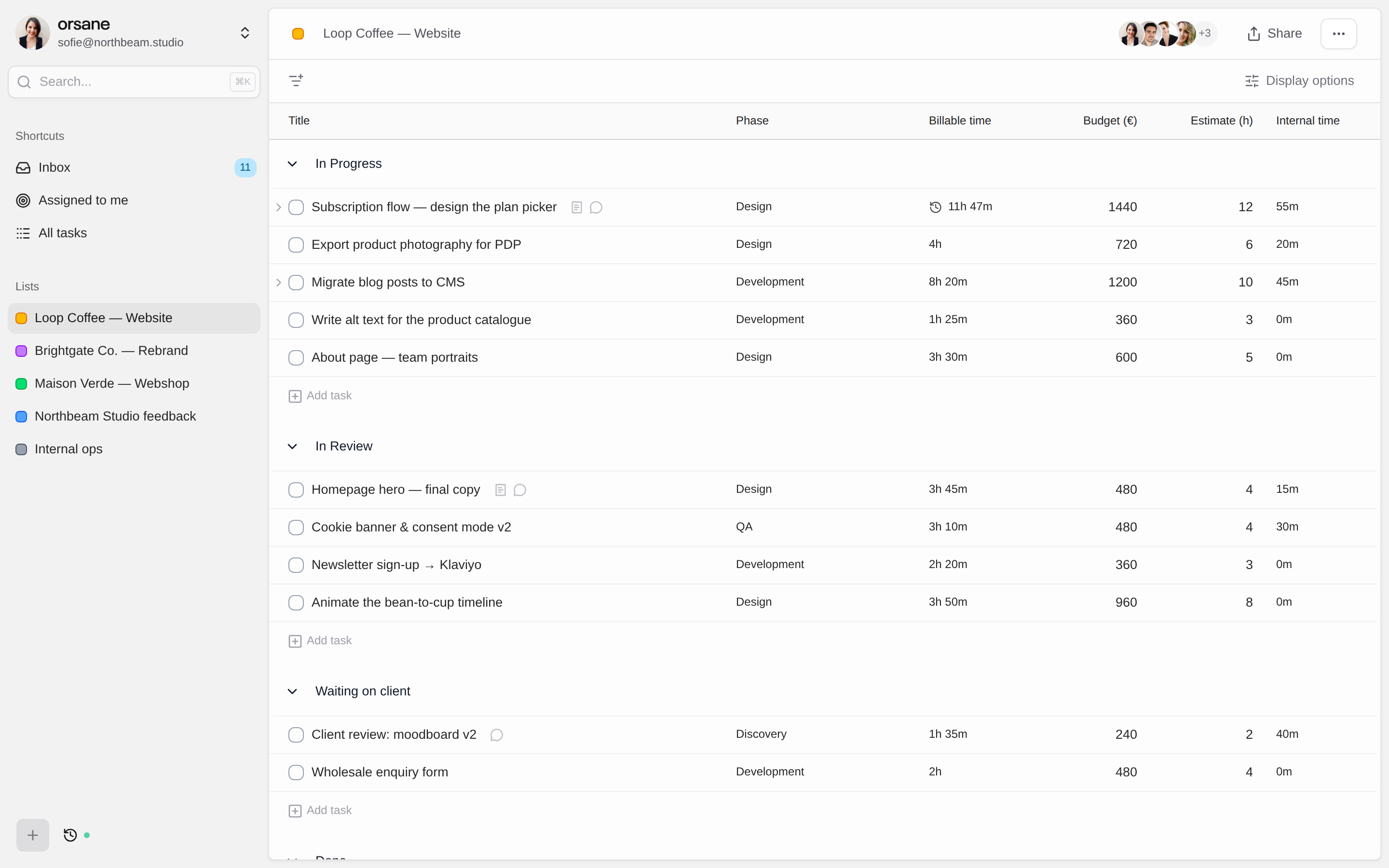
Track what your team actually talks about: a phase, a budget, a ticket reference, a channel. Define a custom attribute once in Settings and it is ready on every task across the team, as a column in any list and as a field in the task panel.
- Text, Number, Dropdown and Timer attribute types
- Show or hide each column per list, without changing anyone else’s view
- Edit values in place, or across a whole selection at once
Time Tracking Where the Work Happens
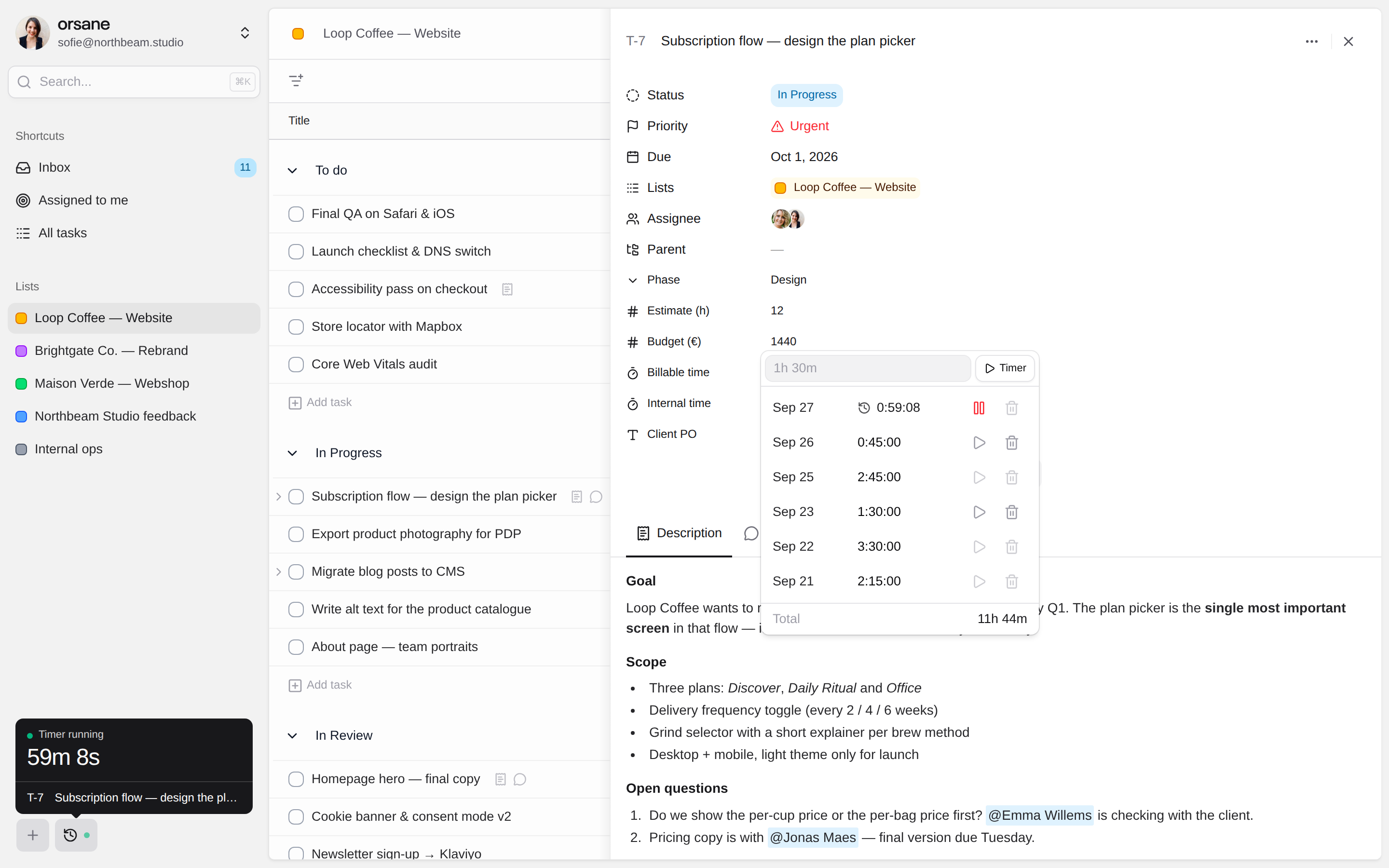
Start a timer on any task, or type 1:30 to log time you forgot to record. Add a Billable and an Internal timer and every task carries both totals, readable as a column across the whole list. Only one timer runs at a time, so hours never pile up on a task you stopped working on.
- Forgiving input: 5, 5d 3h 20m, 01:33 and 1:33:20 all work
- A clock in the sidebar shows what is recording and jumps you to it
- Every entry is stamped with the person and the day it belongs to
The Conversation Lives on the Task
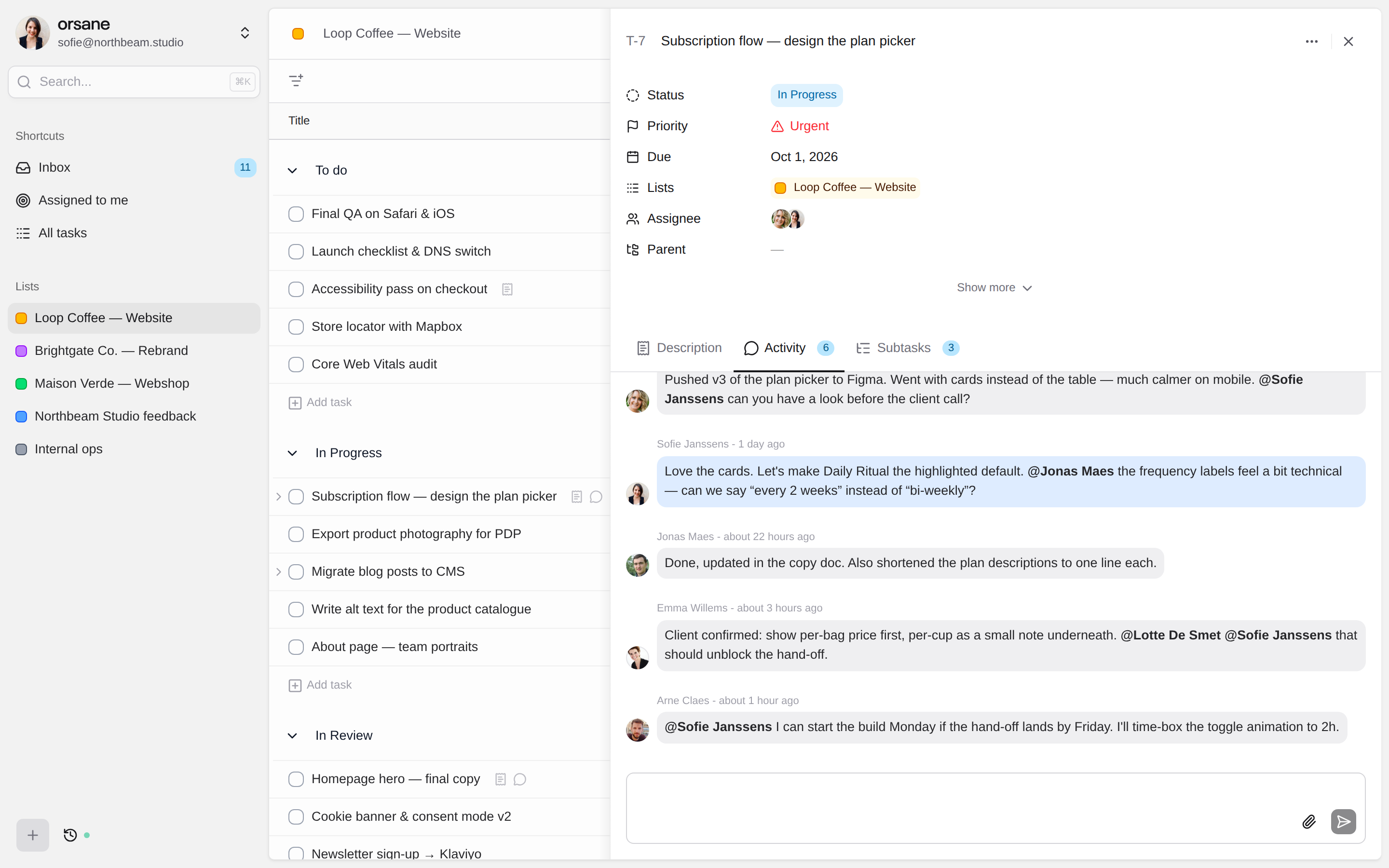
Each task has a rich-text description for the brief and an activity thread for everything that follows. Comments sit between status changes and reassignments, so the history reads as one timeline. Type @ to bring a teammate in and they hear about it straight away.
- Paste screenshots or drop files up to 10 MB into a comment
- Everyone who joined the thread is told when someone replies
- Posted comments can’t be rewritten, so the record stays honest
See the List the Way You Need It Today
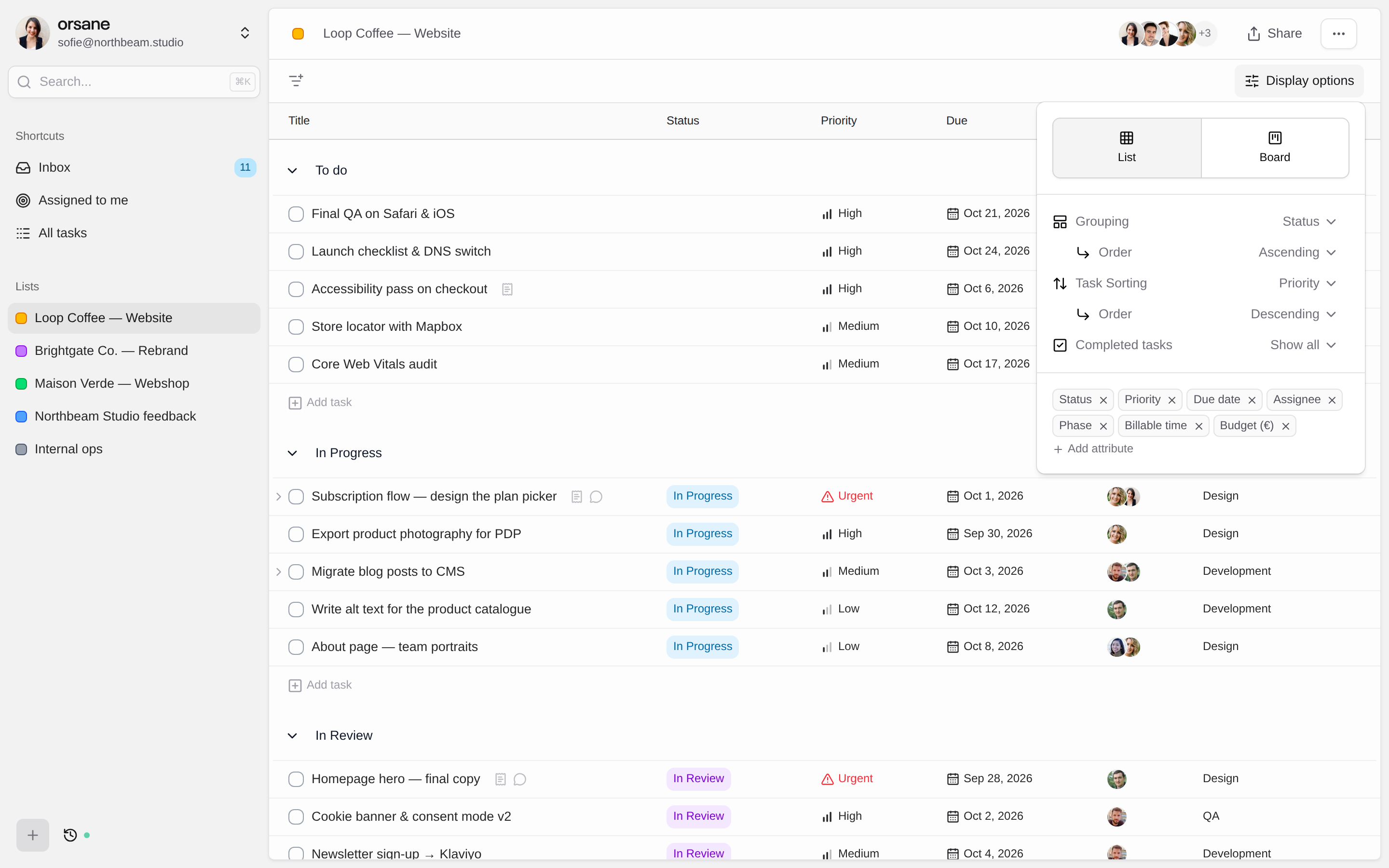
Filter, sort and group any list without touching what your teammates see. Group by status for the stand-up, by assignee for planning, or by due date to see what lands this week. Orsane remembers your setup per list, per person.
- Filter on status, priority, assignee, creator, due date and parent task
- Group by eight attributes, in ascending or descending order
- Show completed work from the past day, week or month, or hide it
Small Things That Save Hours Every Week
Jump Anywhere With ⌘K
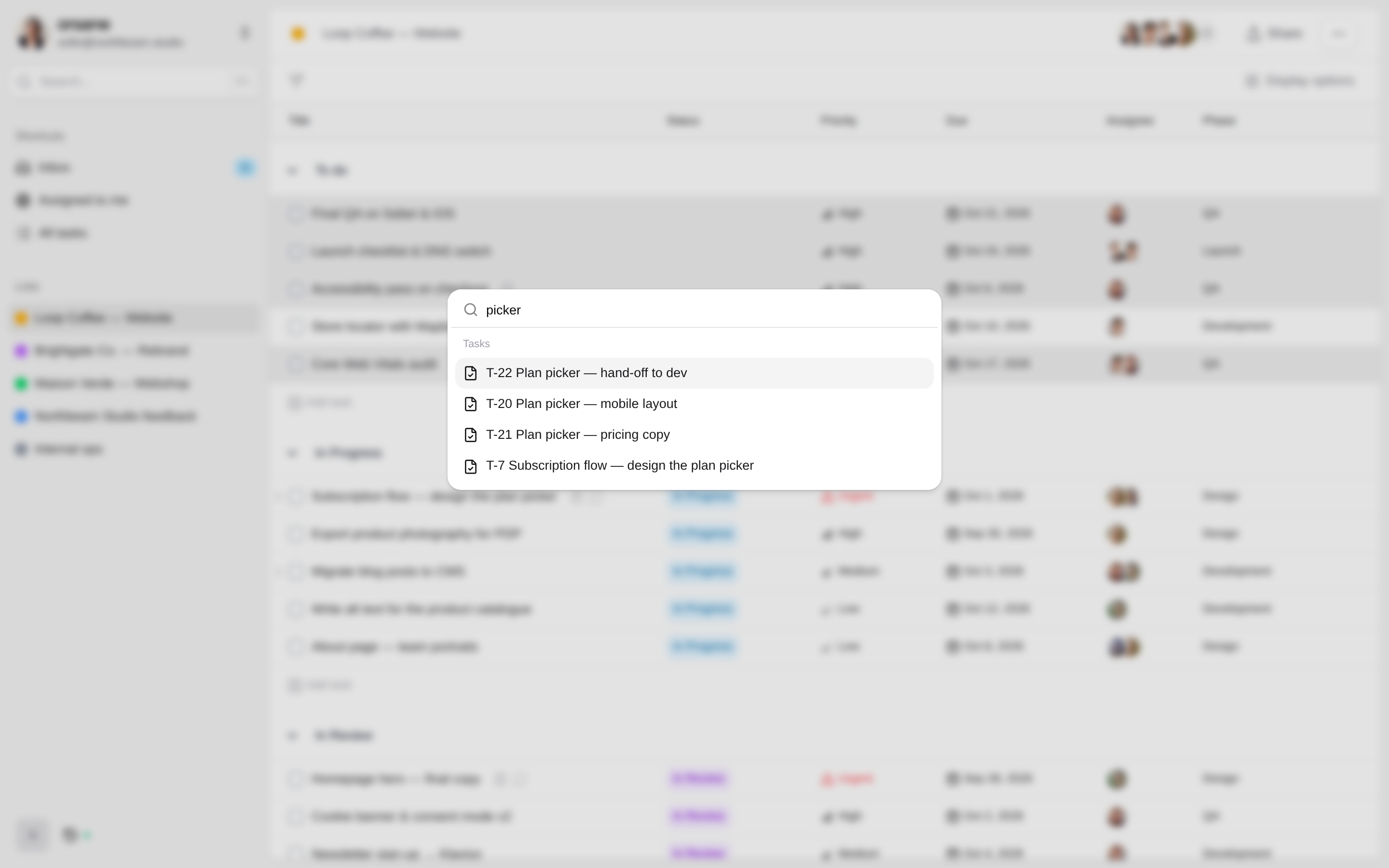
The command menu opens from anywhere in the app. Type a few letters of a task title, its T-number or a list name and press Enter. With the box empty, it takes you to your Inbox, Assigned to me or All tasks in one keystroke.
An Inbox That Stays Quiet
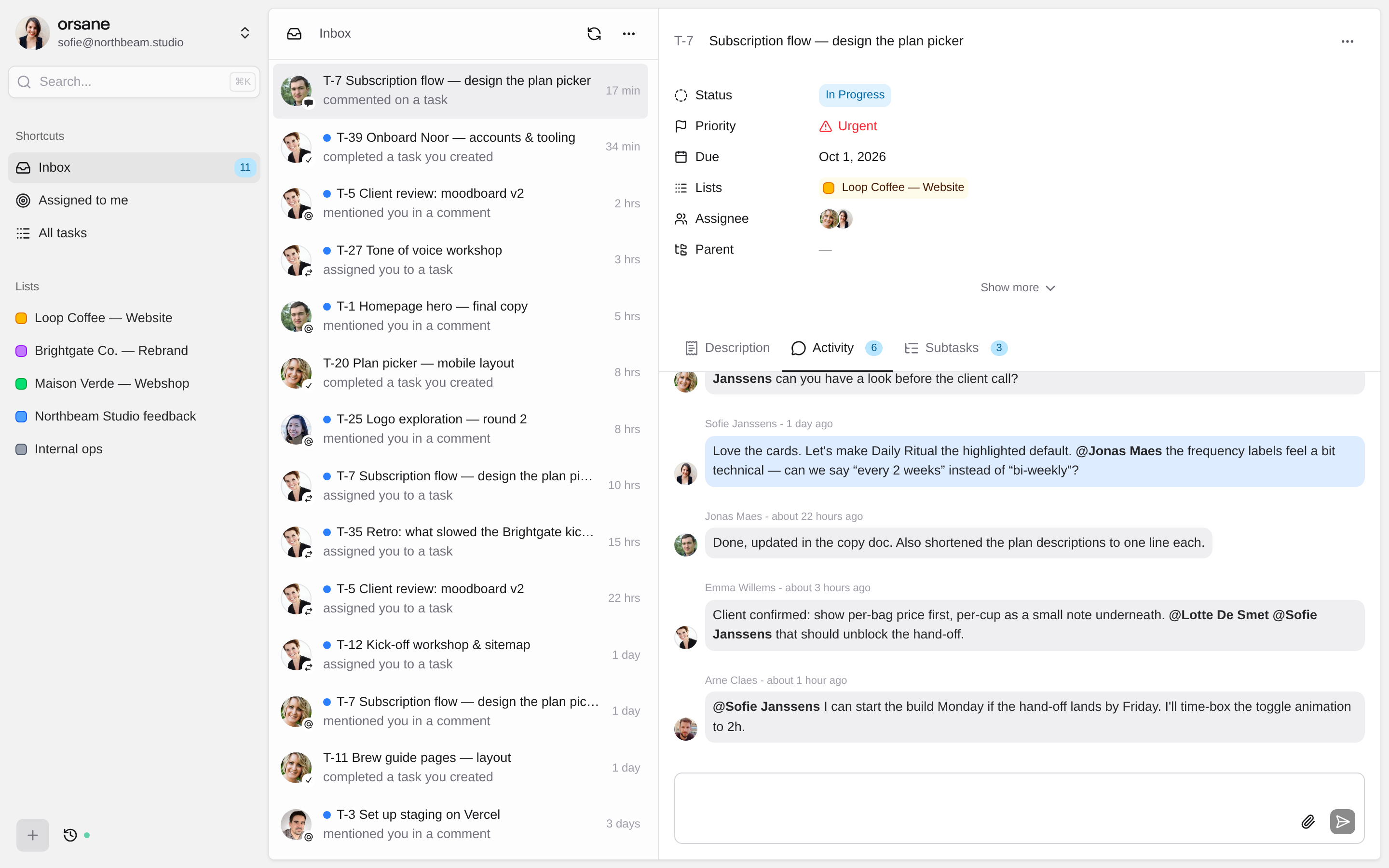
Assignments, mentions, replies and finished work land in one Inbox, with a dot on the browser tab when something is new. Email follows five minutes later, and only if you haven’t already read it in the app.
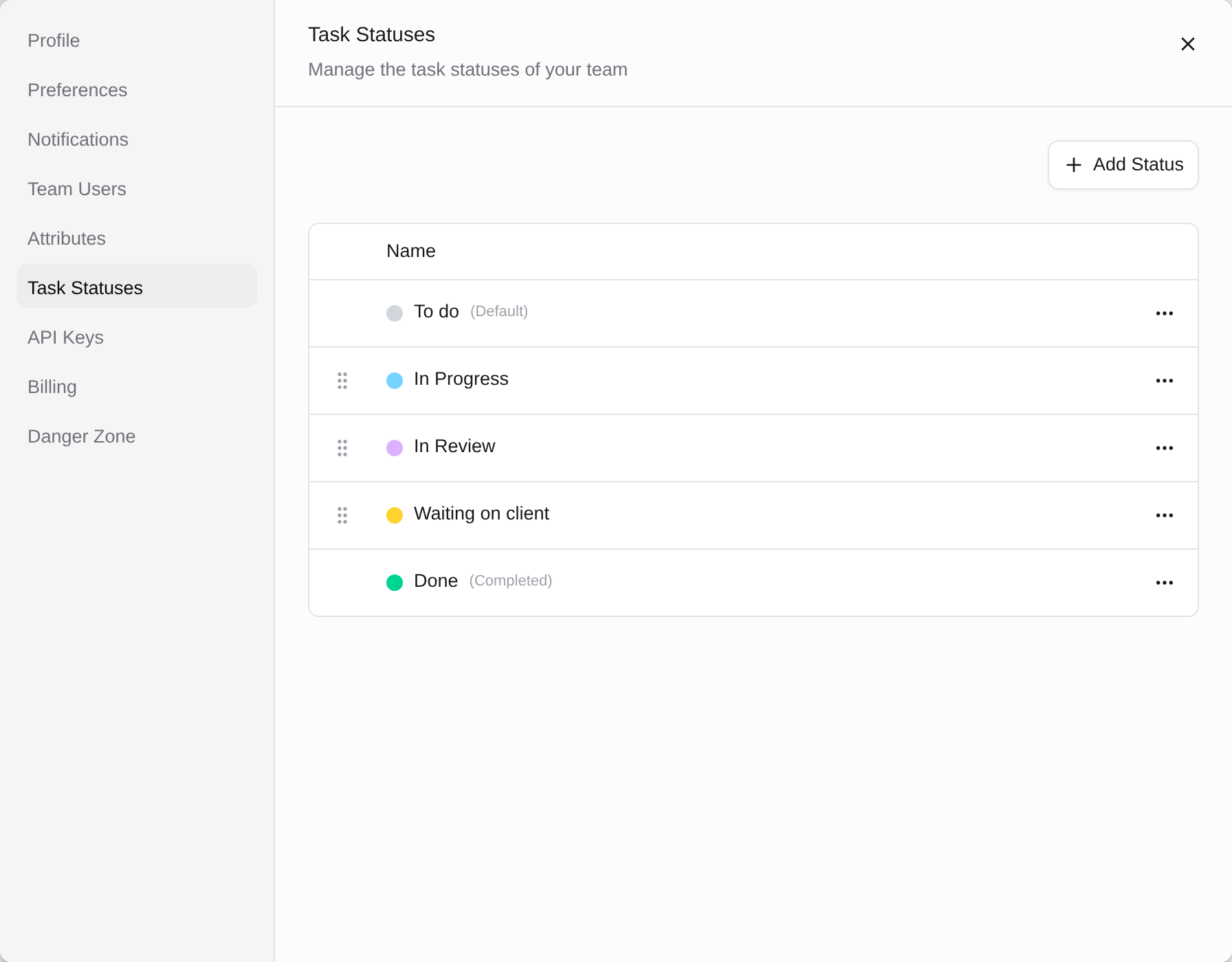
Your Workflow, Your Statuses
Start with To do, In Progress, On Hold, Blocked and Completed, then make them yours. Rename, pick from 17 colours, drag into order or add a status like Waiting on client. Completion is stamped for you.
Big Jobs, Broken Down
Nest tasks as deep as the work needs. Every subtask has its own owner, status and due date, and a parent stays open as an umbrella until you decide it’s done.
Lists That Work Like Tags
A task can live in several lists at once. Keep one list per client and still gather this week’s priorities in another, without copying anything.
Roles That Stay Simple
Owner, Admin or Member. Admins invite people and look after settings, members get on with the work. Invite by email, change a role in one click.
Live for Everyone
New tasks, edits and comments show up on your teammates’ screens as they happen. Nobody works from a stale list, and there is no refresh button to remember.
Dates the Way You Read Them
Choose your date notation, a 12- or 24-hour clock and the day your week starts. Personal settings that follow you into every team you belong to.
Leave What Isn’t Yours
Added to a list you don’t work on? Leave it yourself, no admin needed. Anything assigned to you stays reachable through Assigned to me and search.
Built to Be Connected
A REST API and a Hosted MCP Server
Read and write tasks, lists, users and statuses over a public REST API with an API key. Or point Claude, Cursor or any other MCP client at api.orsane.app/mcp, sign in once with OAuth, and let your assistant plan next month’s retainer, file tasks from meeting notes or tidy up a list for you. Every call is scoped to the team you pick. Included on every plan.
# Ask your AI client
> Create next month's retainer tasks for Acme, based on last month's list.
⏺ list_task_lists Acme · September (12 tasks)
⏺ create_task_list Acme · October
⏺ create_task ×12
✓ "Acme · October" is ready with all 12 tasks.
# Or call the API directly
GET https://api.orsane.app/v1/tasks
One plan, every feature
We ship multiple times per week and focus on making Orsane better for everyone. No feature gates, no upgrade prompts. You get the complete product from day one.
-
Unlimited tasks, lists and members
No caps on how you organize work or who you invite
-
API and MCP access
Connect your tools and AI assistants
-
Custom attributes
Tailor fields to your workflow
-
Collaboration features
Work together in real time
-
14 days free trial
No credit card required
Explore Feature by Feature
Feature
Time tracking
Timers, logged hours and billable totals, built into every task.
Feature
Bulk edit
Select many tasks and change them all in one click.
Feature
API and MCP server
Connect Claude, Cursor and your own scripts to your tasks.
Industry
Orsane for agencies
Project management built around client work.
Feature Questions
What’s included, what isn’t yet, and how quickly a team gets going.
https://api.orsane.app/mcp as an MCP server in Claude, Cursor or another client and sign in with OAuth. The assistant can then search, create and update tasks in the team you choose. See the MCP docs.